A week is 168 hours. You only get it once.
Tessera 168 is a board of 168 squares — one square for every hour of your week. Tap an hour, pick a purpose, and the hour takes that colour. By Sunday the board is a picture of where your week actually went, not where you meant it to go.
On the App Store for iPhone, iOS 17 and later. In eleven languages.

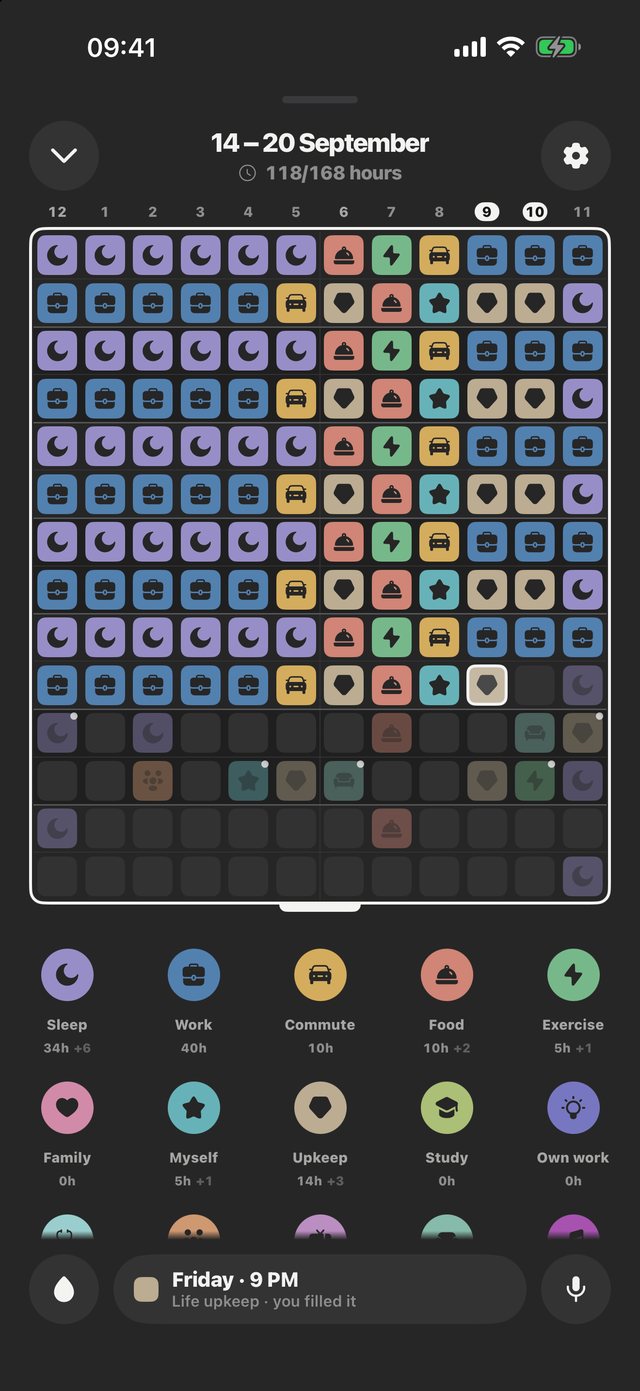
It plays like a puzzle and it reads like a mirror.
Four screens, and that is the whole app.
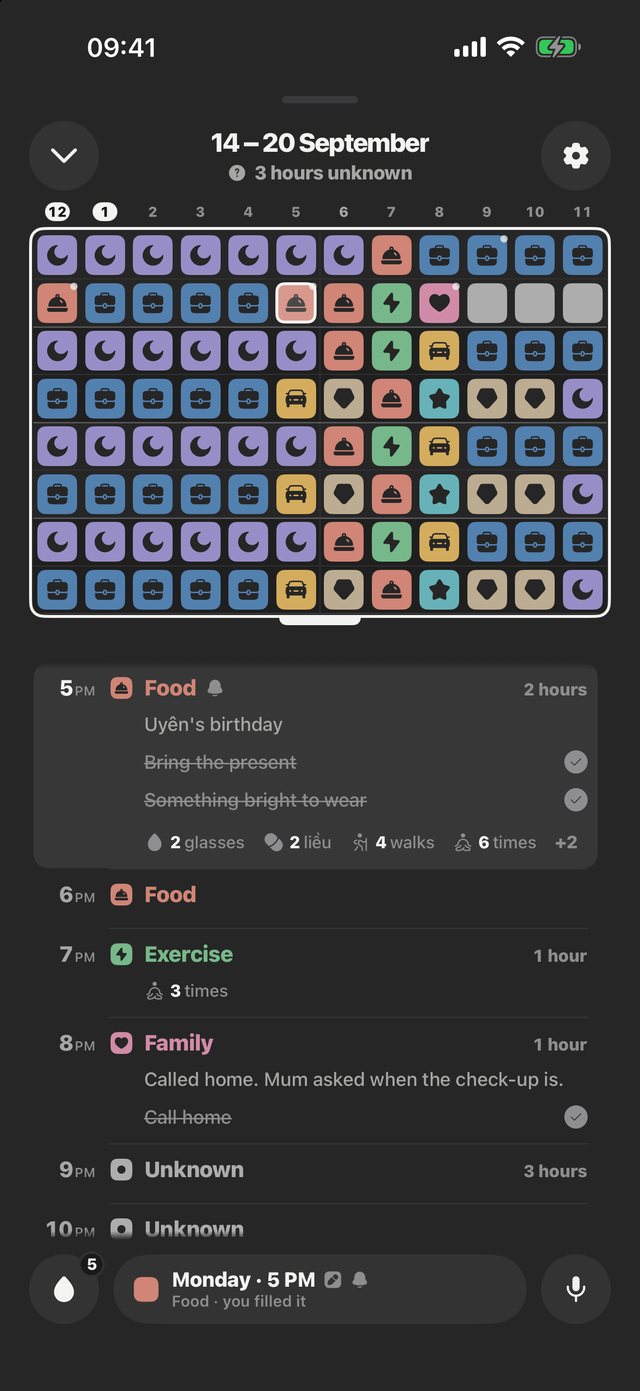
The grey squares are the point.
They are the hours you cannot account for — and they are the reason the board is worth filling in.
The board
- All 168 hours on one screen, no scrolling to see your week
- Fourteen purposes to start with — Sleep, Work, Commute, Food, Exercise, Family, Myself, Upkeep, Study, Own work, Health, Friends, Fun, Rest — plus the grey of hours you have not answered for yet
- Add your own purposes, with your own names and colours
- The week runs Monday to Sunday — the ISO week — wherever you are
The day
- Turn the board to a single day and read it as a timeline
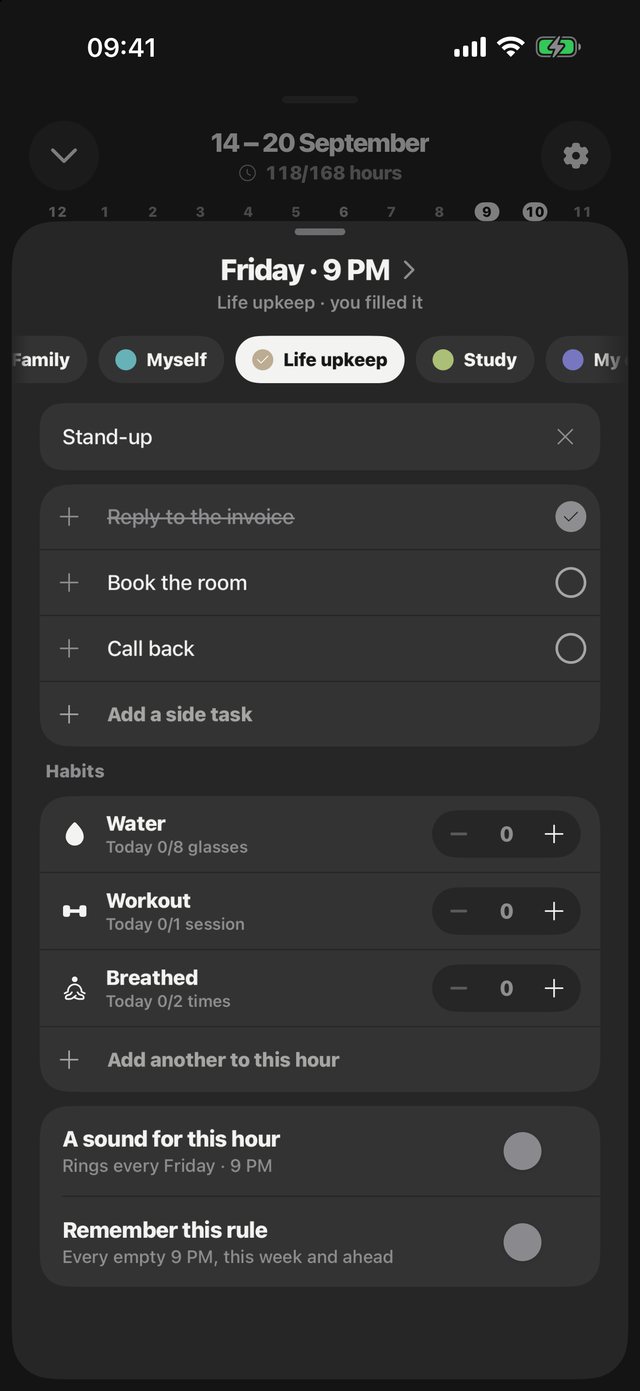
- Write a note on any hour, or say it out loud and let the phone write it down
- Keep side tasks inside the hour they belong to, and tick them off there
- Set a sound for an hour that comes back every week
What it adds up to
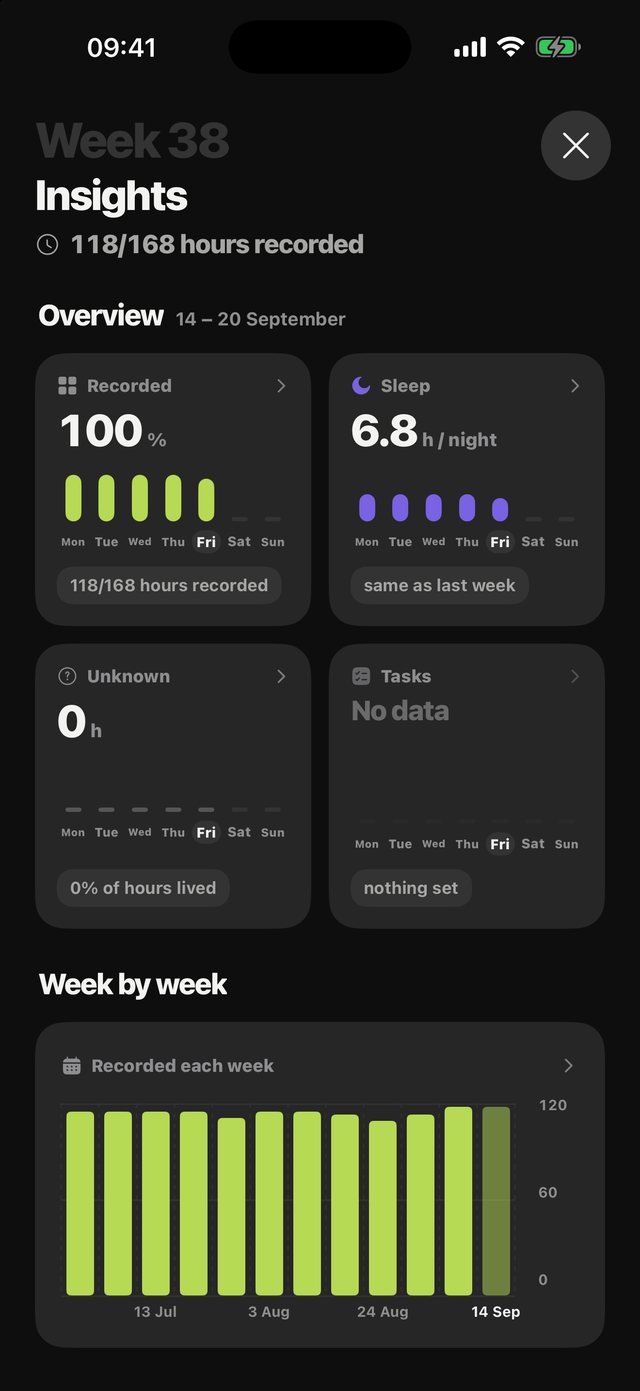
- How the week divided, hour by hour, ranked
- The change against last week at the same point, so a Wednesday is compared to a Wednesday
- Hours of sleep a night, and the other things a full week can say
Yours to keep
- Your week is one file on your iPhone, with a copy in your own iCloud that we cannot read
- Export a copy, or delete everything permanently — the iCloud copy too — from inside the app
- Share a week as an image only when you choose to
Private by design. No servers at all.
Not a promise about what we do with your data — an app with nowhere to send it but your own iCloud.
How your week is handled
There is no account and no sign-in, because there is nothing to sign in to. The week you fill in, the notes you write and the purposes you invent live in a single file on your iPhone, with an automatic copy in your own iCloud — Apple's CloudKit private database, which we cannot read. You can switch that copy off in Settings › Privacy › iCloud backup, and Delete all data removes it too. Nothing ever reaches us, because we run no server to send it to, and no analytics or advertising code is in the app.
Privacy policyWhat the app is built on
- SwiftUI — the whole interface, drawn natively
- Speech and SFSpeechRecognizer — voice notes transcribed on the device itself
- AVFoundation — the hour chimes and the sounds you set
- StoreKit 2 — Pro is bought through Apple, so we never see a card number
Buy it once, or don't buy it at all.
The part that matters is free, and it stays free.
Free, and stays free
Free no ads, no tracking, ever
The full 168-hour week, all fourteen built-in purposes, written notes on any hour, habits, every Insights page, sharing your week as an image, the iCloud backup, and forty app icons earned as you go.
Tessera Pro
US$1.99 a month, US$9.99 a year — or US$29.99 once, for life
Your own purposes with your own names and colours, voice notes written down for you, symbol and icon board styles, and every feature added next. Shareable with your whole family.
Those are the United States prices. The App Store charges in your own currency, at the price set for wherever you are, and shows it before you buy.
Questions? We've got answers.
What is Tessera 168?
A week planner turned around. Instead of writing down what you intend to do, you colour in each hour once it has passed — so what you end up with is a record of the week you actually lived.
Do I need an account?
No. There is no sign-in, no email, no password. Open the app and start filling in hours.
Where is my data kept?
In one file on your iPhone, inside the app's own storage, with an automatic copy in your own iCloud — Apple's CloudKit private database, which we cannot read. You can switch that copy off in Settings › Privacy › iCloud backup. You can export a copy, or delete everything permanently from Settings inside the app; Delete all data removes the iCloud copy too.
Are voice notes sent anywhere?
No. Speech is transcribed by iOS on the device itself, and the text stays in the same file as the rest of your week.
What happens if I never buy Pro?
You keep the whole 168-hour board, the fourteen built-in purposes, written notes, habits, Insights, sharing and the iCloud backup, forever, with no adverts and no nagging. Pro adds your own purposes, voice notes and board styles.
Does the week start on Monday or on Sunday?
Monday, everywhere. The board is the ISO week: Monday 00:00 in the top-left corner, Sunday 23:00 in the bottom-right. It does not follow your phone's first-day-of-week setting, so if your calendar starts on Sunday the two will not line up.
Which iPhones does it run on?
iPhone on iOS 17 and later. The app speaks eleven languages — English, Tiếng Việt, Deutsch, Español, Français, Bahasa Indonesia, Italiano, Português, हिन्दी, 日本語 and 한국어 — and follows whichever one your phone is set to.
Written to a person, answered by a person.

Questions, bugs, or an idea for the app — write to ioniclabs.support@gmail.com and you will hear back from the person who made it.